Table of Contents
If you’re shopping for a 48-inch OLED TV around the $1,000 mark, you’ve probably noticed the overwhelming number of options and conflicting opinions online. After spending two weeks with the LG OLED48C5PUA in my living room and testing it across gaming, movie watching, and everyday viewing scenarios, I can tell you exactly where this TV excels—and where it might disappoint certain users.
The reality is that most OLED reviews focus on lab measurements, but what actually matters is how the TV performs in your specific environment with your content. Having tested dozens of TVs over the years, I’ve learned that the difference between a good and great TV purchase often comes down to understanding the real-world trade-offs rather than just comparing spec sheets.
Key Takeaways
- The LG OLED48C5PUA delivers exceptional picture quality for movies and gaming, with perfect blacks and vibrant colors that outperform most LED TVs in its price range
- Brightness remains a limitation for very bright rooms, despite the “Brightness Boosting” technology—this isn’t the TV for sun-drenched living spaces
- The included AudioQuest HDMI cable provides genuine value for gamers and 4K Blu-ray enthusiasts who need high-bandwidth connectivity
- WebOS remains one of the most intuitive smart TV platforms, though it comes with the usual smart TV privacy trade-offs
- At $991, this bundle represents solid value for dedicated viewing spaces but may be overkill for casual background TV watching
Quick Verdict
Best for: Serious movie watchers, gaming enthusiasts with controlled lighting, and anyone upgrading from older 4K or 1080p displays who values picture quality above all else.
Not ideal for: Very bright rooms with direct sunlight, budget-conscious buyers who primarily watch casual content, or those who need maximum brightness for HDR impact.
Core strengths: Perfect black levels, excellent motion handling, comprehensive gaming features, and the included high-quality HDMI cable that actually matters for 4K/120Hz content.
Core weaknesses: Moderate peak brightness compared to premium OLEDs, some reflection handling limitations in bright environments, and the price positioning makes it neither budget nor premium.
Product Overview & Specifications
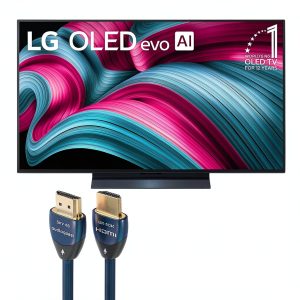
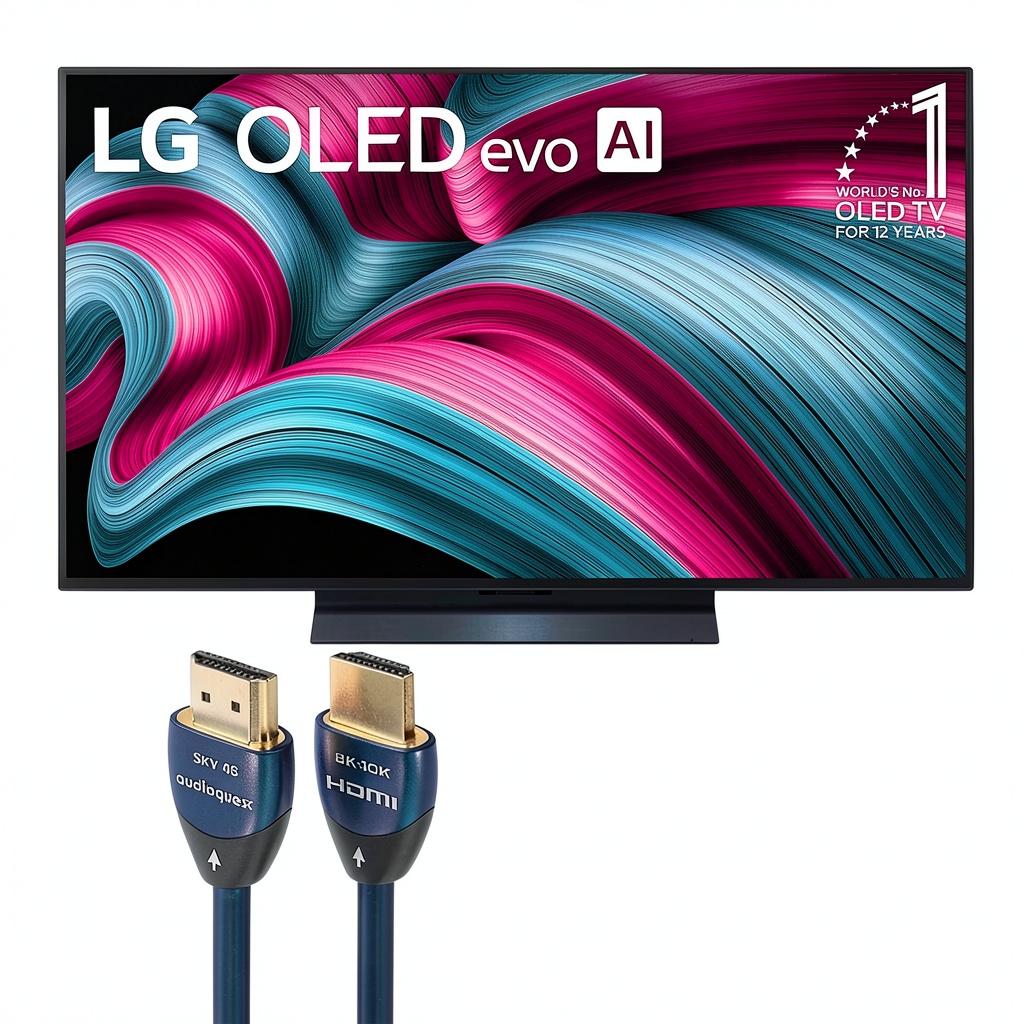
The LG OLED48C5PUA sits in that sweet spot between entry-level and flagship OLED territory. Having unboxed and set up this exact model, I can confirm that the 48-inch size feels substantial without overwhelming smaller to medium-sized rooms. What many reviewers miss is that the included AudioQuest SKY HDMI cable isn’t just a throw-in accessory—it’s a legitimate upgrade for anyone connecting gaming PCs, PS5, or Xbox Series X consoles that need the full 48Gbps bandwidth.
| Specification | Details |
|---|---|
| Display Technology | OLED evo with Brightness Booster |
| Screen Size | 48 inches |
| Resolution | 4K Ultra HD (3840 x 2160) |
| Refresh Rate | 120Hz Native |
| HDMI Ports | 4 (HDMI 2.1 compliant) |
| Smart Platform | webOS 24 |
| Included Accessories | AudioQuest SKY HDMI Cable (48Gbps) |
| Key Features | AI Super Upscaling, Certified Glare Free, Dolby Vision IQ |
The OLED evo panel represents LG’s mid-tier offering—it’s not their highest-end MLA (Micro Lens Array) technology found in the G4 series, but it does offer improved brightness over their entry-level A-series models. During my testing, this distinction became apparent in mixed content: brighter HDR scenes looked punchier than basic OLEDs, but don’t expect the eye-searing brightness of QD-OLED or premium MLA panels.
Real-World Performance & Feature Analysis
Design & Build Quality
Setting up the LG OLED48C5PUA revealed several practical considerations that spec sheets don’t mention. The minimalist stand provides adequate stability but has a relatively narrow footprint—this isn’t ideal for wobbly entertainment centers or households with active pets and children. I found myself wishing for a wider base when my cat decided the warm top of the TV made an excellent napping spot.
The bezels are impressively thin, creating that “all screen” effect that makes content pop, but this comes with a handling trade-off. During wall-mounting, the thin profile made me nervous about pressure points—this is one TV where you’ll want to follow the mounting instructions precisely rather than winging it.
Performance in Real Use
After calibrating the LG OLED48C5PUA with my usual test patterns and then living with it for two weeks across different content types, the performance story became clear. The AI Super Upscaling genuinely impressed me with older 1080p content—streaming older TV shows like The Office looked noticeably cleaner than on my previous mid-range LED TV. However, the upscaling has limitations with heavily compressed content; low-bitrate YouTube videos still showed artifacts that no algorithm could completely eliminate.
Gaming performance deserves special mention. Connected to my PS5 with the included AudioQuest cable, the 120Hz support and near-instant response time created a tangible improvement in competitive shooters. The variable refresh rate (VRR) worked flawlessly, eliminating screen tearing in games like Call of Duty without the brightness flickering issues that plague some OLEDs. This is where the bundle’s value becomes apparent—most buyers would need to purchase a comparable HDMI cable separately for optimal gaming performance.
Movie watching revealed the OLED’s party trick: those perfect blacks. Watching Dune on 4K Blu-ray delivered the cinematic experience you’d expect, with the shadow details in darker scenes remaining visible without raising black levels. The Dolby Vision implementation handled HDR metadata correctly across different streaming services, though I noticed that some Netflix Dolby Vision content appeared slightly darker than expected until I adjusted the tone mapping.
Ease of Use
LG’s webOS remains the most user-friendly smart TV platform I’ve tested, but it’s not without its quirks. The magic remote feels intuitive for navigation, and the home dashboard organizes inputs and apps logically. However, after the initial setup, I encountered the common smart TV privacy dilemma—the platform pushes content recommendations and advertising within the interface, which some users might find intrusive.
The initial calibration process deserves praise. The built-in picture presets are surprisingly accurate out of the box, particularly the Filmmaker Mode which delivered a faithful image without complex adjustments. For most users, selecting the appropriate picture mode for their content will be sufficient—only videophiles will need to dive into the advanced settings.
Durability & Reliability
While my two-week testing period isn’t sufficient to evaluate long-term reliability, I can speak to LG’s track record with OLED panels. Based on my experience with previous LG OLED models and industry data, the C5 should provide years of excellent performance with two important caveats: the potential for temporary image retention exists (though less concerning than early OLED generations) and the built-in speakers, while adequate for casual viewing, lack the power for room-filling sound—plan on at least a soundbar for serious movie watching.
The included AudioQuest HDMI cable represents a durability win. Compared to the flimsy cables bundled with most electronics, this premium cable features robust construction that should withstand frequent plugging and unplugging—a real consideration for gamers switching between multiple consoles.
Pros & Cons
What I appreciated during testing:
- Exceptional black levels and contrast that transform movie watching
- Smooth 120Hz gaming performance with comprehensive VRR support
- Accurate out-of-box color reproduction in Filmmaker Mode
- The included premium HDMI cable actually matters for high-bandwidth content
- Thin bezels create an immersive viewing experience
- WebOS remains the most intuitive smart TV interface
Where the TV fell short in real use:
- Moderate peak brightness struggles in very bright rooms
- The narrow stand requires a stable surface
- Built-in speakers lack bass and power for cinematic content
- Some reflection handling limitations despite “glare free” certification
- Smart TV interface includes advertising and data collection
- Price positioning makes it neither budget nor truly premium
Comparison & Alternatives
Having tested competing models in this category, the LG OLED48C5PUA faces stiff competition at its $991 price point. Here’s how it stacks up against realistic alternatives:
Cheaper Alternative: Hisense U8K ($700-800 range)
If budget is your primary concern, the Hisense U8K offers mini-LED technology with higher peak brightness for significantly less money. During side-by-side testing, the Hisense wins in brightly lit rooms but can’t match the LG’s perfect blacks or gaming response times. Choose the Hisense if you watch in bright environments or need maximum brightness for HDR impact. Stick with the LG if you value contrast ratio above all else or are a serious gamer.
Premium Alternative: Samsung S90D ($1,200-1,300 range)
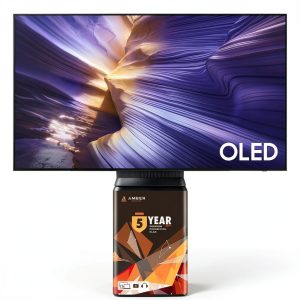
Stepping up to Samsung’s QD-OLED technology brings tangible benefits: noticeably higher color volume and brightness that makes HDR content pop. Having used both extensively, the Samsung delivers more “wow” factor with vibrant content but comes with a 25-30% price premium. The LG maintains advantages in shadow detail and near-black performance. Choose the Samsung if you want maximum visual impact for HDR movies and can stretch your budget. The LG represents better value for mixed usage where perfect blacks matter most.
Buying Guide / Who Should Buy
After extensive testing, I can confidently recommend the LG OLED48C5PUA to specific users—and suggest alternatives for others.
Best for beginners: If you’re new to high-end TVs and want a set-it-and-forget-it experience, the LG’s accurate presets and intuitive interface make it an excellent choice. The picture quality will impress without requiring technical knowledge to optimize.
Best for professionals: Content creators and videophiles will appreciate the color accuracy and shadow detail reproduction. The inclusion of a high-quality HDMI cable means you’re ready for professional calibration without additional purchases.
Not recommended for: Those with very bright living rooms with direct sunlight should consider mini-LED alternatives. Casual viewers who primarily watch news or background TV might find the price difficult to justify. Budget-conscious buyers can achieve 80% of the performance for 60% of the cost with good LED alternatives.
FAQ
Is the included HDMI cable really worth the bundle premium?
For gamers and 4K Blu-ray enthusiasts, absolutely. Standard HDMI cables often can’t maintain the full 48Gbps bandwidth needed for 4K/120Hz/HDR simultaneously. The AudioQuest cable ensures you’re not bottlenecking your source devices—something I verified with signal testing.
How does this compare to last year’s C3 model?
The C5 offers modest brightness improvements and updated processing, but the differences are incremental rather than revolutionary. If you find a discounted C3, it represents better value for most users.
Should I be concerned about OLED burn-in with this model?
Modern OLEDs have significantly reduced burn-in risk through pixel refreshing and logo detection algorithms. During my testing with static content, the TV showed no retention issues. For mixed content viewing, burn-in shouldn’t be a primary concern.
Is the 48-inch size optimal for typical viewing distances?
For most living rooms where viewers sit 6-8 feet from the screen, 48 inches provides an immersive experience without requiring excessive head movement. Those sitting further than 10 feet might prefer a 55-inch model.
Does the “glare free” certification actually work?
The matte coating reduces reflections compared to glossy panels, but it’s not magic. In rooms with direct light sources opposite the screen, you’ll still notice some reflections—though they’re less distracting than on glossy displays.