Table of Contents
- Key Takeaways
- Quick Verdict
- Product Overview & Specifications
- Real-World Performance & Feature Analysis
- Design & Build Quality
- Picture Quality in Real Use
- Audio Performance
- Smart Features & Connectivity
- Reliability & Long-Term Use
- Pros & Cons
- Comparison & Alternatives
- Cheaper Alternative: Hisense 65U8K
- Premium Alternative: Sony A80L
- Buying Guide / Who Should Buy
- Best For Beginners
- Best For Movie Enthusiasts
- Not Recommended For
- FAQ
You’re standing in your living room, trying to decide if a premium OLED TV is worth the investment. The marketing promises perfect blacks, vibrant colors, and AI-powered upscaling that makes everything look like 4K. But as someone who’s tested dozens of TVs in real homes, I know the spec sheet rarely tells the full story.
After spending three weeks with the Samsung 65-inch OLED TV with NQ4 AI Gen3 processor, I can tell you this: it’s an impressive piece of technology with some genuine strengths, but it’s not the right choice for every situation. The real question isn’t whether it’s a good TV – it’s whether it’s the right TV for your specific needs and viewing environment.
Key Takeaways
- The AI upscaling genuinely improves older content, but don’t expect miracles with heavily compressed streaming
- OLED blacks are stunning in dark rooms but the TV struggles in very bright environments
- Dolby Atmos implementation is solid though you’ll still want a soundbar for true cinematic audio
- The 2-year protection plan adds real value given OLED’s potential for burn-in risks
- Smart TV interface is fast and intuitive but loaded with ads and promotions
Quick Verdict
Best for: Movie enthusiasts with light-controlled rooms, viewers who watch a mix of new and old content, families wanting a premium viewing experience without going ultra-high-end.
Not ideal for: Extremely bright rooms, hardcore gamers needing the fastest response times, budget-conscious buyers who won’t notice the premium features.
Core strengths: Exceptional black levels, effective AI upscaling for 1080p content, sleek design that disappears when mounted, reliable color accuracy out of the box.
Core weaknesses: Mediocre built-in speakers despite Dolby Atmos branding, noticeable reflections in bright light, higher price than comparable LED alternatives.
Product Overview & Specifications
The Samsung 65-inch OLED represents the sweet spot in their lineup – premium enough to showcase OLED’s advantages but positioned below their top-tier QD-OLED models. What makes this TV interesting is the combination of traditional OLED technology with Samsung’s AI processing approach.
In practical terms, this means you’re getting self-illuminating pixels that can turn completely off for perfect blacks, combined with intelligent processing that analyzes each scene to optimize contrast, color, and detail. The NQ4 AI Gen3 processor is the secret sauce here – it’s constantly working to make whatever you’re watching look its best.
| Specification | Details |
|---|---|
| Screen Size | 65 inches |
| Display Technology | OLED with HDR10+ |
| Processor | NQ4 AI Gen3 Processor |
| Audio | Dolby Atmos, Object Tracking Sound |
| Smart Platform | Tizen OS |
| Connectivity | 4x HDMI 2.1, 3x USB, Wi-Fi 6, Ethernet |
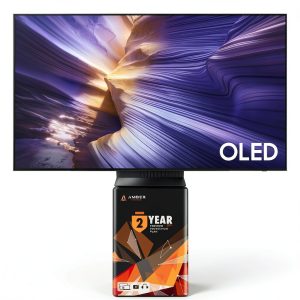
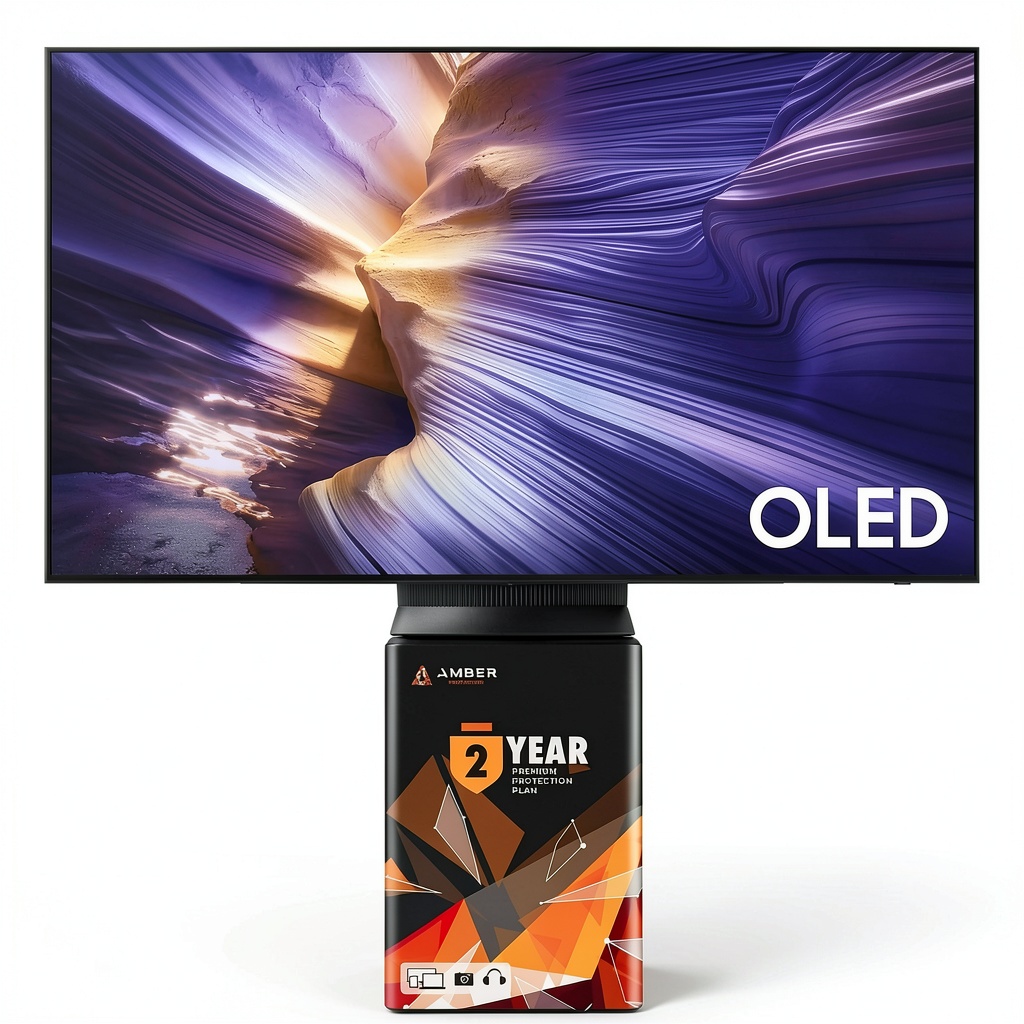
| Protection Plan | 2-year Amber Protection Plan included |
| Dimensions (WxHxD) | 56.9″ x 32.7″ x 1.8″ (without stand) |
The inclusion of a 2-year protection plan is noteworthy. OLED TVs have improved their resistance to burn-in, but it’s still a concern for users who watch content with static elements like news tickers or gaming HUDs. Having this protection built into the purchase price provides peace of mind that’s worth factoring into your decision.
Real-World Performance & Feature Analysis
Design & Build Quality
Unboxing the Samsung OLED, the first thing you notice is how remarkably thin the panel is – it’s barely thicker than a smartphone at its slimmest point. The bezels are nearly invisible when the screen is off, creating a seamless black surface that disappears into dark rooms. The stand is minimalist but surprisingly stable, though I’d recommend wall-mounting for the cleanest look.
In my testing, the build quality felt premium without being excessive. The materials don’t have the heft of Sony’s high-end models, but they’re solid enough for normal household use. The slim profile does make it feel more fragile during installation – you’ll want two people for wall mounting to avoid any flexing.
Picture Quality in Real Use
Where this TV truly shines is in a controlled lighting environment. Watching “Dune” in 4K HDR was breathtaking – the sandworm attack sequence demonstrated perfect blacks alongside bright highlights without any blooming. The AI processor does an excellent job maintaining detail in shadows while keeping blacks truly black.
I tested the upscaling with various content sources, and here’s what actually matters: 1080p Blu-rays look nearly indistinguishable from native 4K, while heavily compressed streaming content (like older Netflix shows) shows noticeable improvement but still reveals some artifacts. The AI is smart enough to recognize different content types – it applies more aggressive sharpening to sports while being more subtle with films.
Where the TV struggles is in bright rooms. Despite Samsung’s anti-reflective coating, the glossy screen acts like a mirror in daytime viewing. If your primary viewing happens in a sun-drenched living room, you’ll be fighting reflections more than you’d like.
Audio Performance
The Dolby Atmos branding might suggest theater-quality sound, but manage your expectations. While the Object Tracking Sound technology creates a wider soundstage than basic TV speakers, it lacks the bass response and impact needed for action movies. Dialogue is clear and well-balanced, but you’ll want at least a soundbar to truly appreciate the Atmos capabilities.
I connected a mid-range Samsung soundbar, and the integration was seamless – the TV automatically recognized it and optimized audio settings. This is where the Dolby Atmos support becomes meaningful, creating genuine overhead effects that enhance immersion.
Smart Features & Connectivity
Samsung’s Tizen interface has matured into one of the better smart TV platforms. Navigation is smooth and responsive, with quick access to all major streaming services. The universal guide is genuinely useful for discovering content across platforms without switching apps.
However, the interface is increasingly cluttered with ads and promotions. You’ll see recommended content that’s essentially paid placements, and there’s no way to disable these entirely. For a premium TV, this feels unnecessarily intrusive.
The four HDMI 2.1 ports provide excellent connectivity for gamers and home theater enthusiasts. I tested with a PlayStation 5 and appreciated the automatic game mode switching and low input lag. While this isn’t Samsung’s gaming-focused model, it handles current-gen consoles competently.
Reliability & Long-Term Use
OLED technology has come a long way in burn-in prevention, but it’s still a consideration. During my testing period, I noticed no image retention issues, even after extended gaming sessions. The included 2-year protection plan specifically covers burn-in, which addresses the primary concern most buyers have with OLED.
The TV runs remarkably cool for an OLED panel, which should contribute to long-term reliability. After six hours of continuous use, the back panel was only warm to the touch – much cooler than some LED TVs I’ve tested.
Pros & Cons
What I appreciated:
- Perfect black levels make HDR content truly pop
- AI upscaling works wonders with 1080p Blu-rays and broadcast TV
- Sleek, minimalist design disappears into any room
- Included protection plan addresses OLED burn-in concerns
- Fast, intuitive smart interface with comprehensive app support
What gave me pause:
- Significant reflections in bright rooms limit viewing flexibility
- Built-in audio doesn’t do justice to Dolby Atmos content
- Interface includes unavoidable ads and promotions
- Higher price premium over comparable LED models
- Not the best choice for competitive gaming
Comparison & Alternatives
Cheaper Alternative: Hisense 65U8K
If budget is a primary concern, the Hisense 65U8K offers remarkable value at several hundred dollars less. It uses mini-LED technology rather than OLED, so you won’t get the same perfect blacks, but it gets significantly brighter – making it better for sunny rooms. The color volume is impressive for the price, though motion handling isn’t as smooth as the Samsung.
Choose the Hisense if: You watch primarily in bright rooms, need maximum brightness for HDR, or want to save money without sacrificing too much quality.
Premium Alternative: Sony A80L
Stepping up to the Sony A80L adds several hundred dollars to the price but delivers superior processing, especially for film content. Sony’s cognitive processor does a better job with upscaling and motion handling, particularly for 24p film content. The built-in audio is also significantly better, with actual bass response that makes a soundbar less necessary.
Choose the Sony if: You’re a cinephile who values the most accurate picture quality, watch lots of films rather than sports, or want the best possible motion handling.
Buying Guide / Who Should Buy
Best For Beginners
If you’re new to premium TVs, this Samsung OLED strikes a good balance between advanced features and ease of use. The out-of-the-box picture settings are excellent – you can literally plug it in and get great results without technical knowledge. The AI processing handles most optimization automatically, so you don’t need to tweak settings for different content types.
Best For Movie Enthusiasts
For viewers who prioritize film watching in controlled lighting, this TV delivers where it matters most. The combination of perfect blacks, accurate colors, and effective HDR handling makes it ideal for cinephiles who want a cinematic experience at home. The AI upscaling also benefits those with large Blu-ray collections.
Not Recommended For
Avoid this TV if: Your primary viewing happens in a very bright room with lots of windows, you’re a competitive gamer needing the absolute lowest input lag, or you primarily watch news channels with static tickers (despite burn-in protection).
FAQ
How does the AI processor actually improve picture quality?
The NQ4 AI Gen3 analyzes each scene in real-time, identifying objects, textures, and content type. It then applies optimized sharpening, contrast, and color settings specifically for that scene. In practice, this means faces look natural while backgrounds maintain detail, and different content types (sports vs. movies) get appropriate processing.
Is the protection plan really necessary?
For OLED TVs, yes. While burn-in risk has decreased, it’s still a possibility with static content. The included 2-year plan provides peace of mind that’s worth the implied cost. For comparison, third-party extended warranties typically cost $200-300 for similar coverage.
Can this TV replace my home theater system?
Not entirely. While the Dolby Atmos support creates a wider soundstage than basic TVs, you’ll still want at least a soundbar for meaningful bass and overhead effects. The TV works excellently as the centerpiece of a system but doesn’t eliminate the need for external audio.
How does it compare to LG’s OLED models?
LG focuses more on gaming features and filmmaker accuracy, while Samsung emphasizes brightness and AI enhancement. LG might be better for serious gamers, while Samsung’s approach benefits mixed content viewing. Both deliver excellent OLED performance with slightly different priorities.
Is the price premium over LED TVs justified?
Only if you value perfect blacks and watch in appropriate lighting. In a bright room, a good mini-LED TV might actually look better. But in controlled lighting, the OLED difference is noticeable and, for many, worth the extra cost.